What Size Should My Instagram, TikTok & YouTube Images Be?
PicGlobe Team
WEBXO TECH LTD · August 2026
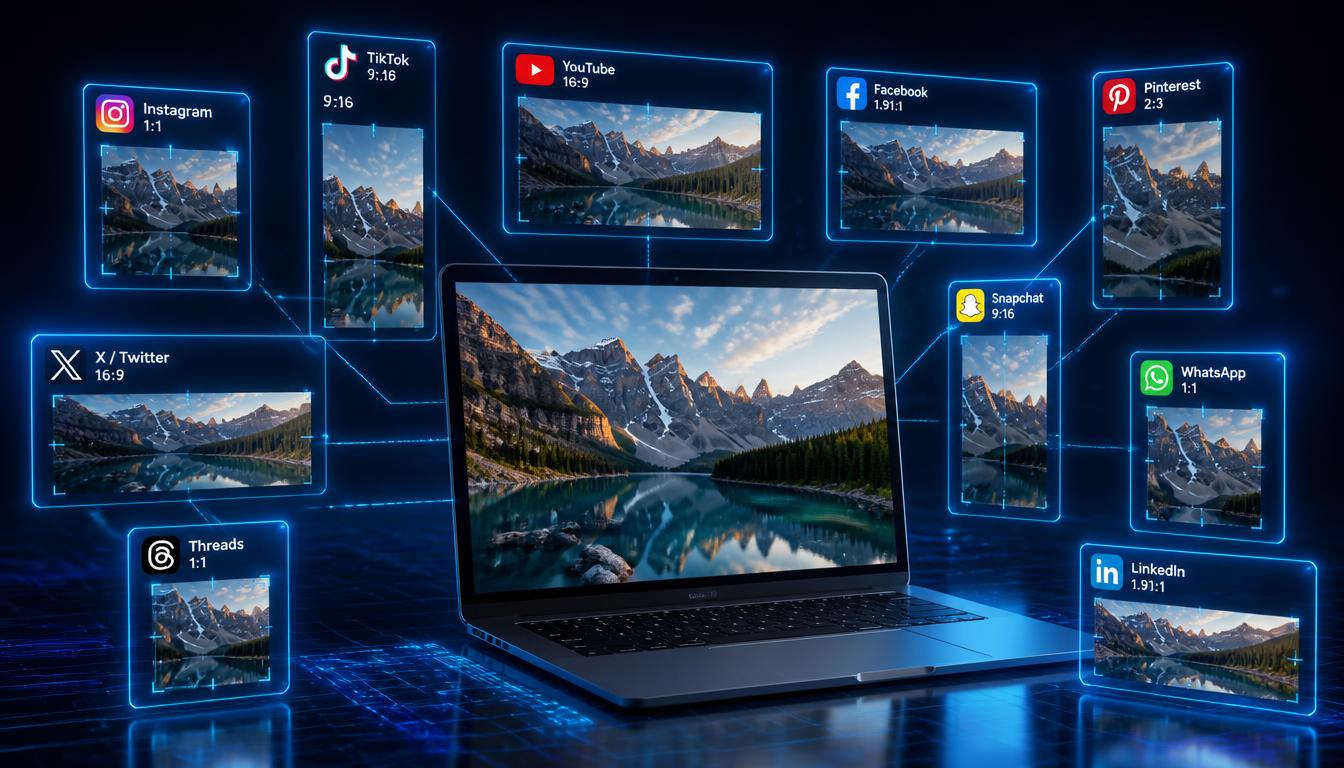
Short answer: Instagram and Threads both want 1080 x 1080 pixels, TikTok and Snapchat want 1080 x 1920, and YouTube wants 1280 x 720. Upload the wrong size and the platform crops it, adds gray bars, or squeezes it out of shape. Below is the exact table PicGlobe's resize tool uses internally, why each ratio exists, and how to generate all 10 sizes from one photo in seconds.
The exact pixel sizes
| Platform | Recommended size | Ratio |
|---|---|---|
| 1080 x 1080 px | 1:1 | |
| 1200 x 630 px | 1.91:1 | |
| X / Twitter | 1200 x 675 px | 16:9 |
| 1000 x 1500 px | 2:3 | |
| 1200 x 627 px | 1.91:1 | |
| YouTube | 1280 x 720 px | 16:9 |
| TikTok | 1080 x 1920 px | 9:16 |
| Snapchat | 1080 x 1920 px | 9:16 |
| 1200 x 1200 px | 1:1 | |
| Threads | 1080 x 1080 px | 1:1 |
These are the exact sizes used by PicGlobe's resize tool — the same numbers you'll see when you generate a resized image, so there's no mismatch between what you read here and what the tool produces.
Why does the ratio matter?
Every platform crops or letterboxes images that don't match its expected ratio. Drop a square photo into TikTok's 9:16 vertical player and you get thin gray bars on both sides, making it look small and unfinished next to full-screen videos. Drop a tall portrait into Facebook's 1.91:1 link preview and the top and bottom get cut off — sometimes removing faces or text entirely.
Instagram & Threads: why square?
Instagram supports square and portrait posts, but 1080 x 1080 is the size that renders identically in the feed, the grid preview, and the profile view without any platform-side cropping. Threads shares Meta's underlying media pipeline, so the same square file works on both without re-editing.
TikTok & Snapchat: why full vertical?
Both apps are built around edge-to-edge vertical video. An image at 1080 x 1920 fills the whole screen with no bars. Anything less than full 9:16 leaves visible letterboxing that immediately signals "this wasn't made for this app."
YouTube: why 1280 x 720 and not 4K?
YouTube compresses thumbnails aggressively, so uploading a massive 4K file doesn't improve quality — it just slows down your upload. 1280 x 720 is the sweet spot: sharp on every screen size, from a mobile search result to a 4K TV, at a fraction of the file size.
Resize automatically instead of doing the math
You don't need to calculate crops by hand. PicGlobe's resize tool takes one uploaded image and outputs correctly-sized versions for all 10 platforms above — Instagram, Facebook, X/Twitter, Pinterest, LinkedIn, YouTube, TikTok, Snapchat, WhatsApp, and Threads — in a few seconds, with AI-generated titles, descriptions, and hashtags for each one.
Common mistakes to avoid
- Uploading the same square image everywhere — it works nowhere as well as a ratio-matched version, especially on TikTok and Snapchat.
- Ignoring safe zones — TikTok and Snapchat overlay buttons and captions near the edges; keep key content centered.
- Over-compressing — a heavily compressed image looks blurry even at the right dimensions. WebP at high quality holds up best.
- Guessing dimensions from memory — platforms update their specs periodically; a resize tool stays current so you don't have to check manually.
Frequently asked questions
What size should an Instagram post be?
1080 x 1080 pixels. It's the safest size across the feed, grid, and profile view.
What size should a TikTok image be?
1080 x 1920 pixels, matching TikTok's full-screen vertical player.
Is Instagram and Threads the same image size?
Yes — both use 1080 x 1080 pixels, so one square image works cleanly on both.
Resize your image for all 10 platforms now
Free, instant, no design skills needed.
Open the Resize Tool