Perfect Image Sizes for Every Social Media Platform
PicGlobe Team
WEBXO TECH LTD · August 2026
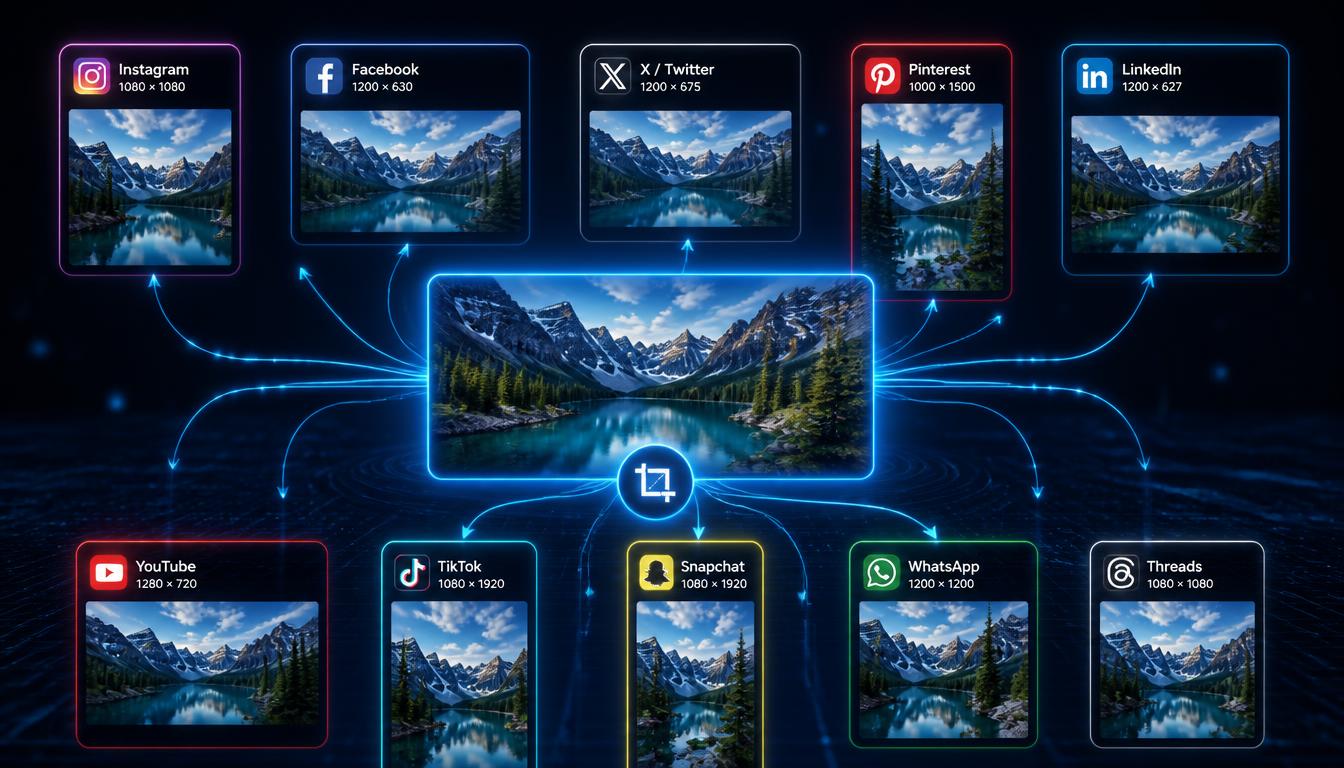
No single image size works everywhere. The table below shows the exact pixel dimensions for all 10 major platforms in one place, so you can check any size in seconds — or skip the math entirely with the free resize tool at the bottom.
Complete size reference table
| Platform | Size | Ratio | Shape |
|---|---|---|---|
| 1080 x 1080 px | 1:1 | Square | |
| Threads | 1080 x 1080 px | 1:1 | Square |
| 1200 x 1200 px | 1:1 | Square | |
| 1200 x 630 px | 1.91:1 | Wide landscape | |
| 1200 x 627 px | 1.91:1 | Wide landscape | |
| X / Twitter | 1200 x 675 px | 16:9 | Landscape |
| YouTube | 1280 x 720 px | 16:9 | Landscape |
| 1000 x 1500 px | 2:3 | Tall portrait | |
| TikTok | 1080 x 1920 px | 9:16 | Full vertical |
| Snapchat | 1080 x 1920 px | 9:16 | Full vertical |
These match the sizes used by PicGlobe's resize tool exactly — what you read here is what the tool generates.
The three size families
Instead of memorizing 10 separate numbers, it helps to think in three groups:
- Square (1:1) — Instagram, Threads, WhatsApp. One square image covers all three with minimal adjustment.
- Wide landscape (16:9 or 1.91:1) — Facebook, LinkedIn, X/Twitter, YouTube. These four are close enough that a single 1200 x 675 source usually works across all of them with only minor letterboxing.
- Tall vertical (9:16 or 2:3) — Pinterest, TikTok, Snapchat. These need a genuinely different photo, not just a crop of your square or landscape version, or you lose most of the frame.
Which platform is the odd one out?
Pinterest. At 1000 x 1500 pixels, its 2:3 ratio is even taller and narrower than TikTok and Snapchat's 9:16 format. A photo built for TikTok will still show letterboxing on Pinterest, so if Pinterest traffic matters to you, design for it specifically rather than reusing a TikTok cover.
How to cover all 10 without 10 separate designs
In practice, most creators only need to shoot or design for the three size families above, then let a tool handle the fine differences between platforms in the same family. PicGlobe's resize tool takes one uploaded image and automatically outputs all 10 exact sizes — Instagram, Facebook, X/Twitter, Pinterest, LinkedIn, YouTube, TikTok, Snapchat, WhatsApp, and Threads — with AI-generated titles, descriptions, and hashtags for each.
Quick decision guide
- Posting one photo everywhere fast? Start from a square 1080 x 1080 image, then resize the vertical versions separately for TikTok, Snapchat, and Pinterest.
- Making a YouTube thumbnail? Design it landscape from the start — a resized square image looks weak as a thumbnail compared to one composed for 16:9.
- Targeting Pinterest specifically? Shoot or crop vertical first; Pinterest's 2:3 ratio is too tall to fake from a square or 9:16 source without heavy cropping.
Frequently asked questions
What is the best all-purpose image size for social media?
There isn't one. A 1080 x 1080 square covers Instagram, WhatsApp, and Threads well, but it gets cropped on TikTok, Snapchat, and Pinterest, which need a vertical image instead.
Do Facebook and LinkedIn use the same image size?
Almost — 1200 x 630 for Facebook versus 1200 x 627 for LinkedIn. A 3-pixel height difference that's visually irrelevant, so one source image works for both.
Which platform needs the tallest image?
Pinterest, at 1000 x 1500 pixels — taller than even TikTok and Snapchat's vertical format.